« April 2006 | Main | June 2006 »

May 2006

Gather Addendum - You Can Earn Money

In my previous post, I linked to an article I wrote on how I was making more off of Gather than my blog. But that's not the full story. I was checking the Gather website again this evening, and it turns out you can earn some real money from them (not just gift cards).

Gather rewards its writers with "points." Points can be earned by writing articles, commenting on other articles, and running groups. (Oh yeah, and referring other members - thanks for tolerating the shameless affiliate link!) Ideally, you'll get rewarded for writing quality, or at least quantity: The more people read and comment on your articles, the more points you get.

So the deal is this: If you earn at least 3,000 points per month, you'll get a whopping (woo!) minimum $50 per month.

Seeing as I pulled in about 750 points in the last few days just posting a few articles and commenting somewhat liberally, this wouldn't be too hard to do.

While I doubt that you could earn a real living at Gather, I would say that for most bloggers, your chances of earning somethng back at Gather are far greater than going it alone, unless you have a great niche, are a super marketer, very lucky, or have an existing audience.

The downside of Gather is that there can be some silly politics and people get way overinvolved there. But for the prolific writer, it may not be a bad way to blog, get your stuff read (much more than otherwise), and also bring readers to your websites.

Oh, the Harsh Economics of Blogging

I've posted a piece on the earnings of my blog versus my rewards from a popular writer's site in:

I Have Become a Gather Whore

Habits Roundup

Habits of highly effective bloggers

problogger's challenge to write about the Habits of Highly Effective Bloggers has resulted in a great many thoughtful posts; mostly, of course, about professional blogging, rather than the personal and idiosyncratic blogging in which I indulge.

I was hoping for some truly eccentric suggestions. You know, like turn three times clockwise, then bow to the west twice; or put on your FEAR THE POET T-shirt, burn sage incense, chant "I am creative" thirteen times. Something.

But no, pretty much the expected good advice, with a few not-so-typical good ideas; and some of the usual, unusually well-expressed. To the extent there is a common theme, it is: Passion. Persistence. Patience. To which I would add: Play!

One writer managed twelve P's: The 12 P’s of Successful ProBlogging.

I did a very quick look-through, and offer below some brief excerpts. The excerpts are linked with Deep Quote, which, I discovered too late, links to the Deep Quote site instead of the originating site -- so I've linked each blog title to the relevant post as well -- and will use Deep Quote with more discretion in future.

Habits dingbat

Continue reading "Habits Roundup" »

Eponym Blog Host Review

As if I don't already have enough low-traffic blogs, I needed to go start another one. I decided to give Eponym a try. I've already got my main blog running on WordPress, a second blog over at Blogger, and I'm also fidding with b2evolution (review coming soon). I'm a sucker for trying new things.

Eponym offers a free basic account, and upgrades start at $4.95/month. Their shiny website proclaims that they have the "easiest to use and most comprehensive feature set of any blog service on the Internet." OK, then, show me your stuff.

I got an account and started my new blog, called (for now) "Sustain This!" (I'm obsessed about peak oil lately. Who woulda thought?)

And let me just say - wow. I am actually quite impressed with Eponym's blogging system. As you can see, I've used quite a few different blog systems. I've also had extensive experience with Movable Type/TypePad (what this blog is hosted on), Eponym's top competitor for the pay-to-play enhanced blogspace.

Eponym is starting to win me over for a number of reasons:

1. Superior Design and Content Layout.

I'm sorry, but can I admit that most TypePad templates are just butt ugly? And the same goes for Blogger. WordPress does a little better. Eponym has some pretty nifty templates - at the free level, the selection isn't extensive, but I liked what I saw. But here's where it gets interesting:

Eponym allows you to choose your design, and then goes a step further and gives you three layout styles to choose from. (Two-column left, two-column right, and three columns.) Once you have chosen your layout, you can then pop in your components just by dragging and dropping them into a window.

Now - pardon me if I am incorrect about TypePad's capabilities here, because I've only had full control over a custom Movable Type installation - but I have never seen any blog software offer such flexibility and ease of content layout.

Eponym offers a number of ready-made components for a variety of commonly-used blogging features, such as recent posts, recent comments, categories, visitors, etc. Instead of tinkering with template code, you just drag the component to the location you want it, and presto! There it is.

Even niftier - you can create your own custom component and drag that into its slot as well. I did this with Google ads (since I'm always working on monetizing my blogs). It worked perfectly.

2. Robust Content Organization.

Blogger, as we all know, fails the most when it comes to its lack of categories. Other blog platforms similarly disappoint, by making categories unilevel or hard to manage. Eponym offers nested categories, ways to display different categories differently (I admit I haven't explored this function yet), and an option to allow posts in subcategories to "bubble up" to parent categories.

Eponym also offers custom keywords for each article, sticky articles (that will remain on the top of the blog), and special posting functions for movie and book reviews. Neat.

3. Photos.

I will say honestly that I haven't tried photos yet, as I do not plan to use them much on this particular blog. But the functionality is there to create full photo albums with your Eponym blog, and I can tell this would be fantastic when used properly.

4. Streamlined back-end.

Eponym's user interface is simple and easy to use. There is a slight learning curve to figure out all the options and how to use them, but mostly this is a very user-friendly system.

5. Statistics.

Eponym offers robust site statistics, even at the free level. You'll not only find out how many hits your site gets, but you'll see what sites your visitors came from (referrer logs). Pretty darn nifty.

The Final Word

Overall, I have to say that Eponym has a fantastic service and should become a strong rival to TypePad. (I never liked TypePad - it seems clumsy to me and the interface never felt friendly.) If Eponym has one potential downfall, it's that it currently does not support multiple blogs easily (though that is on the way), and it's pricing isn't necessarily cheap compared to TypePad at the upper levels.

The free version does have an Eponym bar at the top (like Blogger) and some ads that must stay put on the page. (I don't care about the ads so much, and in fact, I added more ads.) When you upgrade your account, the Eponym bar and ads will be removed. If they someday offer an inexpensive way to host multiple blogs like TypePad, I may upgrade to a paid account and move my Blogger blog over.

If you are looking to start a new blog, I'd suggest giving Eponym a test run. I'm quickly becoming a convert and you may, too.

Habits of Effective Bloggers

Six Habits of Effective Bloggers:

  1. Get out of bed
  2. Drink whatever caffeine stimulant appeals to you.
  3. Take & upload a few pictures of the cat.
  4. Write.
  5. Post.

Spike & Boo mosaic

You think I'm kidding?

Sometimes managing #1 is a challenge; #2 is then a requirement. Without #3, this blog would no doubt have stayed in dim obscurity -- this is not how I imagined making The New York Times.

If your topic is narrow, you are likely to have a ready-made audience; all that is needed is to bring your blog to its attention -- assuming, of course, that you provide good content. If you are not blogging for business, or around some specific topic or hobby, then how will a potential reader find you? Well, one way is that they may stumble across you while looking for something else; cats, for instance.

Why would you be blogging, if not for work, or money, or politics, or some other specificity?

Maybe because blogging (that ugly, guttural word) is, itself, an art form. Or can be. Then blogging is simply a tool, or a medium -- like clay, or language. So one must learn to use this tool -- to sail this craft -- just as another artist must learn the qualities of canvas and paint and color, or whatever means of expression s/he uses.

That means some tedium; learning at least a bit of code, so that one can display that cat picture in the most appealing manner -- floated, or centered, or wrapped in text, as the case may be. It means learning how (and whether) to do a blogroll, and how to ping the services that send you readers, and how to market whatever art it is that you are making. And let's not pretend that marketing doesn't matter. If you didn't care whether anyone looked, you wouldn't put it online.

Somewhere around #4 & #5, you add your blog to yet another directory, and spend some time reading another blog -related blog, to see if there is something new to learn. And you learn it. Because if blogging is your art form, then you must keep exploring the techniques, the possibilities.

It's a different thing than using a blog to display some other kind of art -- paintings, or photographs, or poems. Then the blog is simply a gallery, or an online page. Many are, and quite good ones at that. But I mean something different -- something I don't even know yet. Something I am discovering as I go.

The most important thing -- whether you are blogging for art, or blogging for business -- is the missing #6 on the list. It's idling.

Idling meaning, doing something, reading something, imagining something, apparently unrelated to blogging. Doing nothing. Meandering, physically or otherwise. While wandering about, one is likely to stub one's toe on an idea, or an image, or a link that sparks yet another, and another -- and then here you are, at the keyboard, blogging.

It's a challenge, that balance -- to take the time, the silence and solitude, to find something fresh; and to take the time, the noise and community, to stay connected and current. To write; to post.

[Crossposted to Watermark]

WordPress Spam

My WordPress blog has been getting hit hard by spam lately. I've had some rudimentary tools in place (moderating comments with more than two links in them), but even that has become tiresome. It also hasn't solved the problem with trackback spam. Every day I've been getting at leat 10 comments or trackbacks to either moderate or delete.

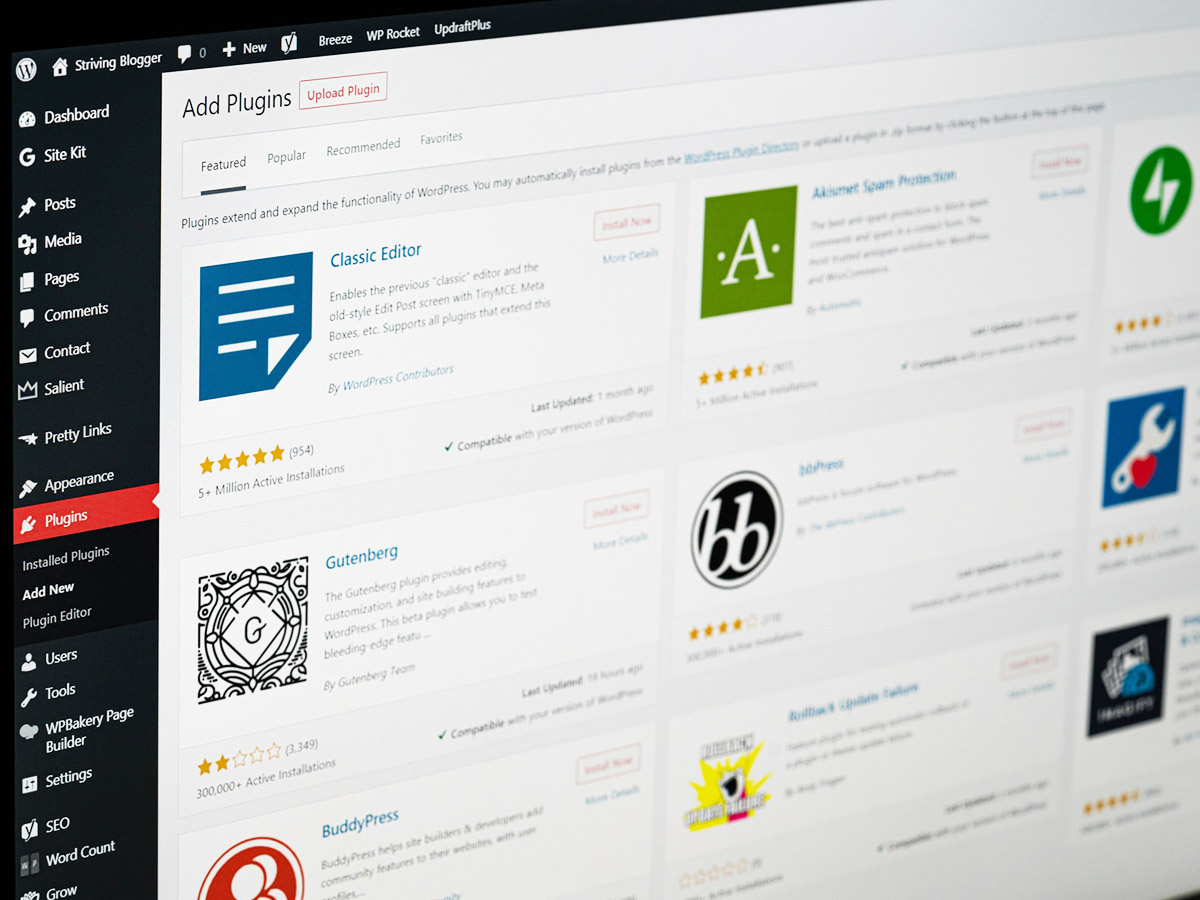
WordPress has a system called Akismet that checks comments against a centralized spam database, but those services never work as well as intended, in my opinion. I just wanted something to nuke the spam on the spot while leaving legit comments and trackbacks in place.

For trackbacks, I chose the
Trackback Validator Plugin, which, simply enough, checks to make sure the trackback actually links to your site. (Most trackback spam does not.)

For comments, I wanted some sort of "Captcha." A Captcha is one of those computer-generated warped images that requires the user to type in the text. I personally hate dealing with them as an end-user, but they are quite useful when it comes to spam.

Problem is, in order to run an image-based Captcha, your server needs to have certain programming libraries installed. So I looked for other options.

WordPress - Hashcash looked really interesting - it uses JavaScript to validate the post, with no need for extra effort on the part of the end-user. Problem is, the plug-in choked when I installed it. Never mind.

I had the same install problem with
WP-Gatekeeper - that was supposed to work by having the end-user answer an obvious question before posting the comment. Oh well.

Finally, I settled for Did You Pass Math? This handy little plug-in was a snap to install and requires your user to add two single digit numbers to pass spam muster. I did choose to modify how the input field showed up on my blog to make it more obvious that it was a required anti-spam measure, but that was as simple as adding a few words to the code. Even someone who doesn't program should be able to find out where they can do this, if so desired.

As a bonus, I'm also now filtering out dumb-ass people who can't add two and two together!

You can see what this plug-in looks like by checking out the comments section on my blog.

I'll post an update on the spam blocking in a few weeks. Cross your fingers!

Calling all geeks...

It would be really cool to have a widget to put on blog sidebars (especially, of course, TypePad blogs) that would let a reader click through to posts on that date from previous years.

Of course, I don't know if you folks would click that link -- but I would.

UPDATE Saturday 20 May: A response from TypePad Support --

. . . There is a Movable Type plugin that can do this but we're unable to use these with TypePad. Thanks for the suggestion though. We will keep this in mind as a possible future feature for the system.

TypePad Problems

Everything Typepad

05.02.2006

TypePad Update

Since approximately 4:00 pm Pacific Daylight Time, Six Apart has been the victim of a sophisticated distributed denial of service attack. This has affected all of Six Apart's sites, causing intermittent and limited availability for TypePad, LiveJournal, TypeKey, sixapart.com, movabletype.org and movabletype.com. Our network operations staff is working around the clock with our Internet access providers to resolve the issue. We appreciate your patience and support, and will provide updates as we have them.

Update, 11:40 pm PDT: Access and availability to our sites has improved. We continue to work closely with our Internet access providers and will monitor the situation through the night.

Posted by Michael Sippey at May  2, 2006 09:03 PM |

Why do people do this? Is it just vandalism? I don't get it.

AddThis Social Bookmark Button

Your email address:


Powered by FeedBlitz

Explore Blogging Chicks Network (a FeedBurner Network)